
On fluid-hub you can find the spare parts and accessories of a product directly on its product page, in the Spare parts and Accessories sections, accessible only to users with an active account.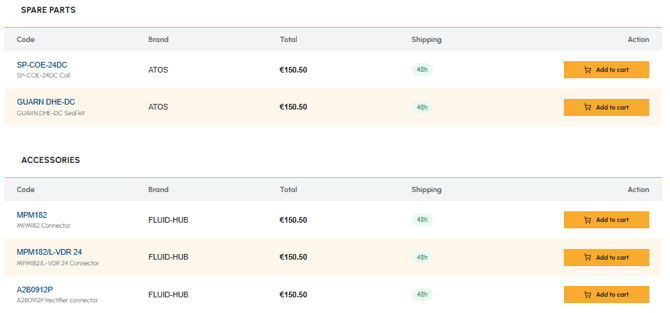
For each spare part or accessory the following are indicated:
- Code (SKU)
- Brand
- Price
- Shipping times
How to purchase:
- You can add them directly to the cart from the main product page
- Alternatively, you can open the page of the individual spare part or accessory (by clicking on the product code) to consult its complete technical details
If you are not yet registered and want to access this information, read How can I register on fluid-hub? To understand what to do if the spare part you are looking for is not available, read Are spare parts or accessories always available? To check compatibility with your plant, read How do I check the compatibility of a spare part or an accessory?