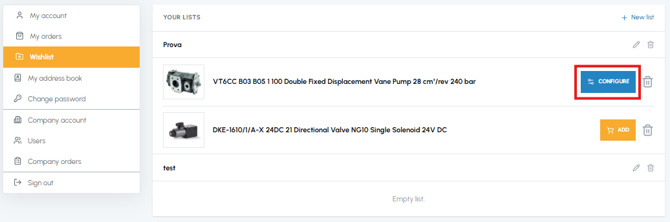
No, at the moment it is not possible to add all the products in a list to the cart with a single action: you have to add them one at a time from the Wishlist. If you have a set of products that you purchase regularly, you can alternatively use the "Buy again" function from the "My orders" section once you have placed the first order. To find out more, read Can I reorder a product from a past order?
To purchase the products saved in a Wishlist you must:
- Access the "Wishlist" section
- Identify the list containing the products you want to purchase
- For each product, click on "Add" to add it directly to the cart, or click on the product title to open the product page and have more details before purchasing
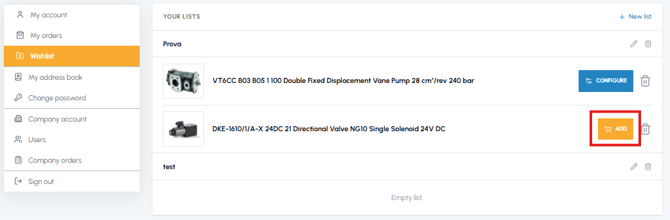
Note: Products that require configuration before purchase (such as vane pumps) show the "Configure" button instead of "Add". In this case, clicking on this button opens the product page and, before adding the product to the cart, you will need to complete the required configuration (direction, orientation, etc.). To find out more, read What does it mean that a product needs to be configured?