
You can change your account password from the dedicated section in your user area.
How to access it:
- Log in to your account
- In the side menu of your user area, click on "Change password"
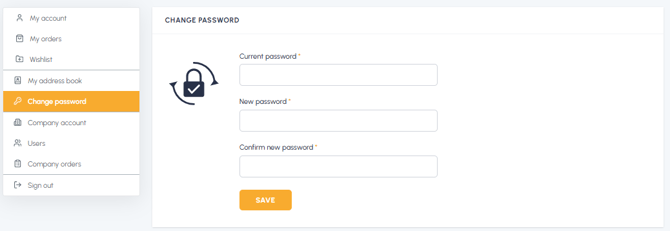
- You will be redirected to the page where you can change your password
Note: To change your password you need to know your current password. If you don't remember it, you will need to use the "Forgot password?" procedure from the login screen.
For details on the information required, read What information is needed to change my password? If you want to recover a forgotten password, read I forgot my password: how can I recover it? For advice on choosing the new password, read Can I use a previously used password?