
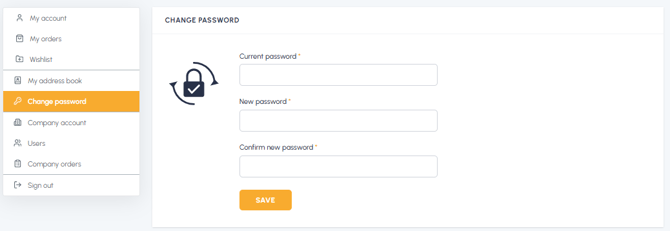
To change the password for your fluid-hub account from the "Change password" section, you need to enter your current password, the new password and the confirmation of the new password.
Fields to fill in:
- Current password: the password you are currently using to log in
- New password: the new password you want to set
- Confirm new password: enter the new password again to confirm it
Password requirements: your password must contain:
- At least 8 characters
- At least one lowercase letter
- At least one uppercase letter
- At least one number
After filling in all the fields, click the "Save" button to confirm the change.
What happens after saving:
- You will receive an email confirmation of the password change
- You will be automatically logged out of your account for security reasons
- You will need to log in again using your new password
Tip: For added security, you can also include special characters (such as !@#$%&) in your password. It is not recommended, however, to use a password already used in the past.
To find the section where you can make the change, read Where can I change my account password? If you don't remember your current password, read I forgot my password: how can I recover it?