
Yes, you can add other shipping addresses to your address book, with no limit on the number.
How to add a new address:
- Access the "My address book" section from your account menu
- Click on the "Add new shipping address" button
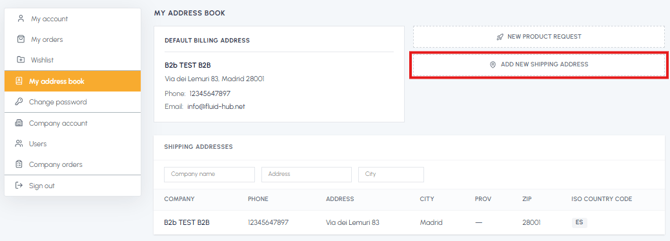
- Fill in the form with the following data:
- Company
- First and last name of the contact person
- Complete address
- City
- Postcode
- Province (for Italy)
- Country
- Phone
- Submit the request
What happens after submission: The request will be taken in charge by our back office, which will validate the data and add the new address on the platform. You will receive a confirmation via email once the new address has been entered and will be available in your address book for future orders.
Note: You can also add a new address always through the form during checkout, in the cart, when you proceed with the purchase and arrive at the shipping address selection phase, by clicking on "New address".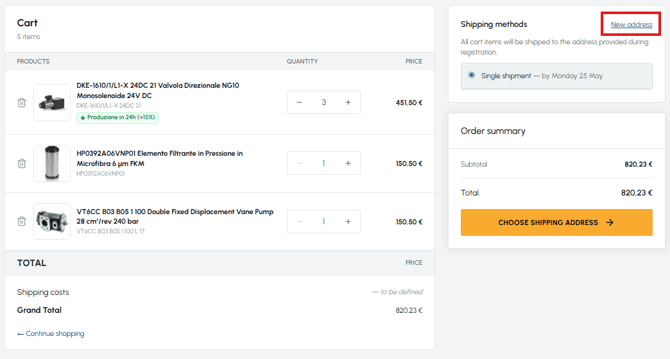
Important: Adding the address is not immediate, and this applies whether you request it from the address book or during checkout. We therefore recommend adding new addresses in advance, before you need them for an order.
To understand the difference between the types of addresses that can be managed in the address book, read What is the difference between the default billing address and the shipping addresses? If, however, you need to update an already saved address, read Can I modify the shipping addresses or the default billing address? To remove one that is no longer used, read Can I delete an address from the address book?