
To add a product to the Wishlist on fluid-hub, you need to open the page of the individual product you are interested in: adding from the catalogue list is not available.
How to do it:
- Access the page of the product you are interested in
- Locate the "Add to list" drop-down menu in the infobox on the right
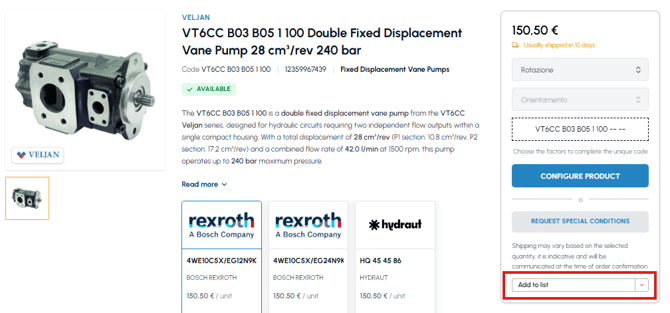
- Choose where to save the product:
- Option A: select one of your existing lists
- Option B: click on "+ Create new list" to create a new list and add the product to it
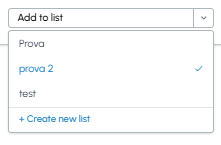
The product is immediately saved in the selected list.
Where to view the saved products: You can access your Wishlists in two ways:
- From the "Wishlist" section in the side menu of your user area
- By clicking on the folder icon in the site header (top right, always visible from any page)

Note:
- It is not possible to add products to the Wishlist directly from the catalogue list: you must always open the page of the individual product.
- There are no limits to the number of products you can save in your lists.
To discover how to organise your products into multiple lists, read Can I create multiple lists in the Wishlist section? When you are ready to purchase the saved products, read Can I add all the products in a list to the cart in one go?