
Yes, on fluid-hub you can create all the lists you need to organise your products based on projects, priorities or any other criteria. There are no limits either on the number of lists you can create or on the number of products per list.
How to create a new list:
Option 1 - From the product page:
- Open the page of a product
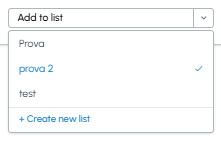
- In the "Add to list" drop-down menu
- Select "+ Create new list"
- Give a name to the list (e.g. "Project XYZ", "Spare parts", "Routine maintenance")
- The product will be automatically added to the new list
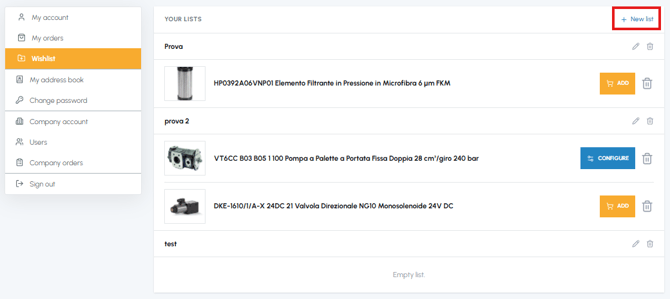
- Access the "Wishlist" section from your account menu
- Click on "+ New list"
- Give a name to the list and click on "Create"
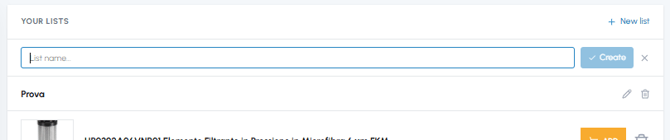
- The new list will be available to save products
Organising the products into separate lists allows you to keep everything tidy and quickly find what you need for each project or specific requirement.
To find out how to add products to your lists, read How can I add a product to the Wishlist? To modify the name of a list or delete it, read Can I rename or delete a list? And when you are ready to purchase the products in a list, read Can I add all the products from a list to the cart in one go?