
On fluid-hub, "moving" a product between Wishlist lists takes place in two steps: first you add the product to the new list, then you manually remove it from the original list. There is no automatic "move" function, because the same product can be present in multiple lists at the same time.
Procedure:
- From the Wishlist, click on "Go to product" to open the page of the product you want to move
- On the product page, locate the "Add to list" drop-down menu
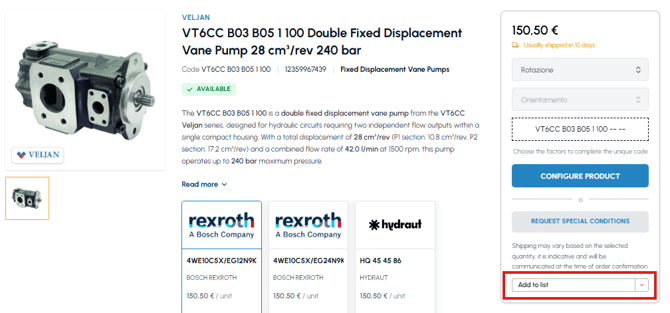
- Select the destination list where you want to move the product, or create a new one
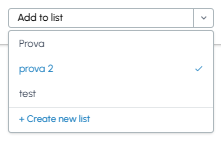
- The product is added to the new list
Note: The same product can be present in multiple lists at the same time. If you want the product to be present only in the new list, you will need to manually remove it from the previous list. If you don't know how to do this, read How can I remove a product from the Wishlist?
To create new themed lists in which to organise products, read Can I create multiple lists in the Wishlist section?