
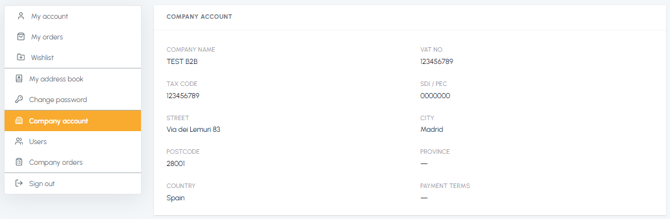
To modify the company and registered office details of your fluid-hub account, you need to contact customer support: independent modification from the platform is not available, because this data is linked to your company's tax details. Official documentation may be required for the modification (e.g. updated business registration certificate).
What to indicate in your request:
- Which data needs to be modified (e.g. company name, VAT number, registered office)
- The correct updated details
- Official documentation certifying the change (updated business registration certificate or equivalent)
Contact channels:
- Email: info@fluid-hub.com
- Chat: available on the website via the icon at the bottom right
- Form: on the Contacts page
- Hours: Monday to Friday, from 8:30 AM to 12:30 PM and from 1:30 PM to 5:30 PM
- Company name and VAT number
- Tax code
- Complete registered office address
- Payment terms
To request the correction of other information in your profile as well, read The account data is incorrect: what can I do? To modify the billing address or a shipping address, read Can I modify the shipping addresses or the default billing address?