
Yes, you can rename and delete your lists from the "Wishlist" section, using the "edit" (pencil) and "delete" (bin) icons next to the name of each list.
Rename a list:
- Access the "Wishlist" section from your account menu
- Locate the list you want to rename
- Click on the "Edit" icon (pencil icon) next to the list name
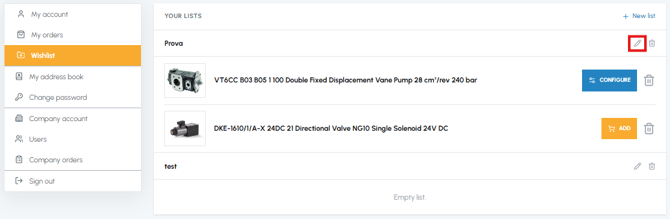
- Enter the new name
- Confirm the change
- Access the "Wishlist" section
- Locate the list you want to delete
- Click on the "Delete" icon (bin icon) next to the list name
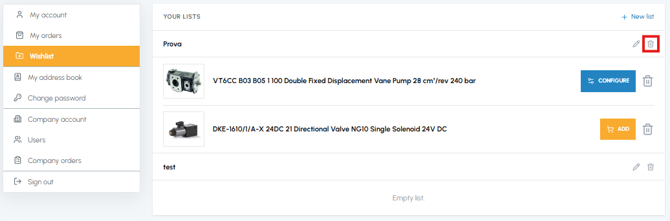
- Confirm the deletion
Warning: When you delete a list, all the products saved within it are removed from the Wishlist and the operation cannot be reversed. Make sure you don't need those references before proceeding.
If you want to delete only some products without removing the entire list, read How can I remove a product from the Wishlist? If you prefer to move them to another list, read How can I move a product from one list to another?