
You can view all your orders from the "My orders" section in the side menu of your user area. For each order, the order number, date, total, status and the quick actions to view the details, track the shipment, reorder or request a return are available.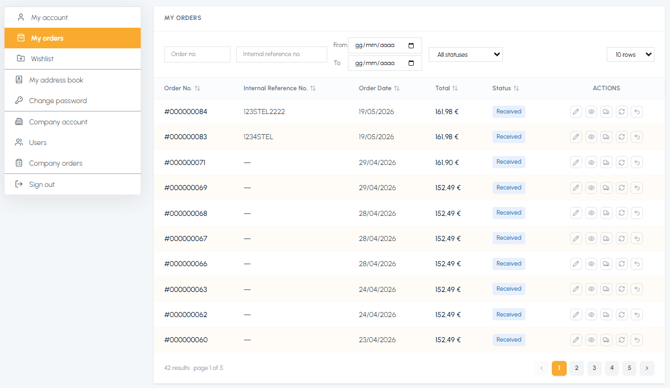
If your company has multiple users registered on fluid-hub, you can view all the orders placed by you and any colleague in the "Company orders" section.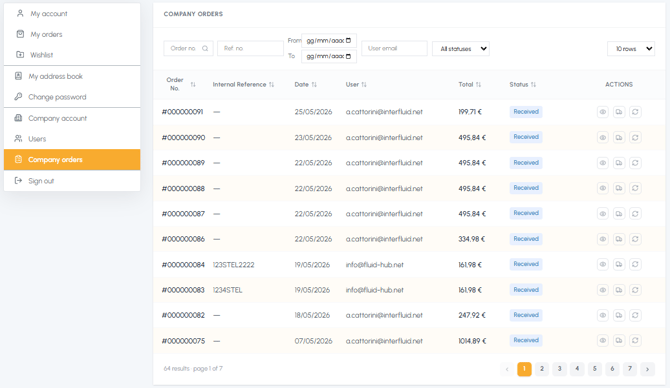
For the complete guide, read Where can I see all my orders? and Where can I view company orders?