
To add a new user to the company account on fluid-hub, you can follow two methods: the colleague can register independently by filling in the form, or you can request the creation of the new account directly from support. A self-service interface to add users directly from the platform is not available.
Method 1 - Direct registration of the colleague:
- Your colleague fills in the standard registration form on fluid-hub. To learn more about the registration procedure, read How can I register on fluid-hub?
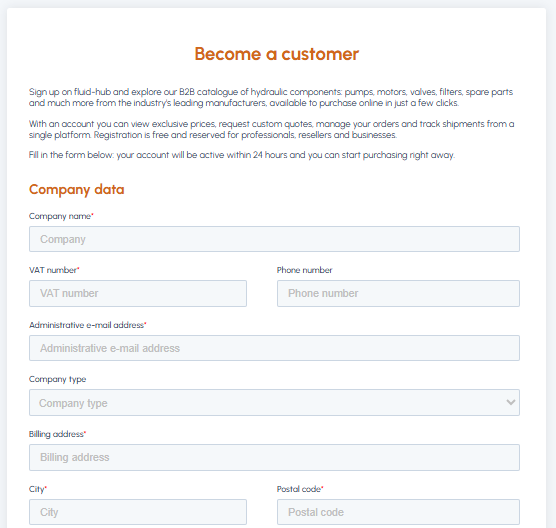
- Enters the company data (using the same company name and VAT number as the existing account)
- Our team, detecting that the company is already registered, will automatically associate the new user with the company account
- The colleague will receive the email to set the password and will be able to log in
- Contact our support team:
- Email: info@fluid-hub.com
- Chat: icon at the bottom right on the website
- Form: page Contacts
- Support hours: Monday to Friday, from 8:30 AM to 12:30 PM and from 1:30 PM to 5:30 PM
- Indicate the data of the colleague to be added (first name, last name, email)
- Our team will create the account
- The new user will receive the email to complete the activation
For an overview of the management of multiple company users, read Can I associate multiple users with the same corporate account? If you have any doubts about what a business account is, find out what it is.