
Yes, you can quickly search for a product by entering its code (SKU) in the search bar at the top of the site, even partially. Please note that adding to the cart still requires opening the product page: the quick search takes you directly to the product, but the final click on "Add to cart" or "Configure the product" takes place on the page.
As you type, you will see a drop-down menu appear with the corresponding results, divided into Products and Interchangeables. You can click directly on the result you are interested in or press Enter to view the complete results page. To find out more about interchangeable products, read What does "interchangeable product" mean? 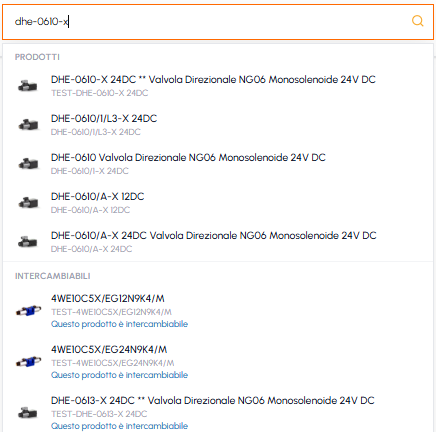
To add the product to the cart, you will need to open the product page and click on "Add to cart" or on "Configure the product" if the product requires configuration (e.g. vane pumps). In this case, you will first need to complete the configuration and then proceed with adding to the cart. To find out more, read What does it mean that a product needs to be configured? If the "Add to cart" button does not appear at all, read Why is the "Add to cart" button not available? 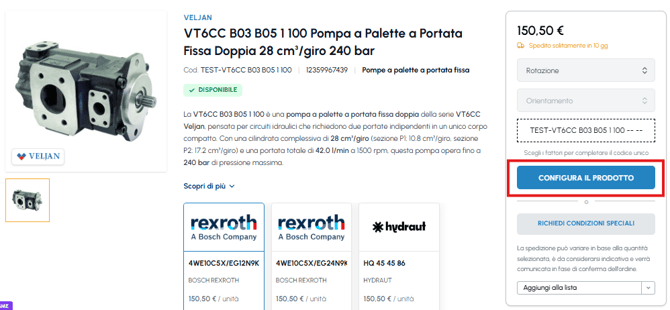
For more information on how the search works, read How do I use the search bar? To manage the products already in the cart, read How do I modify the quantity of a product in the cart?