
You can cancel an order only if it has not yet been taken over by our team for processing. There is no dedicated cancellation icon: the procedure is the same as for modifying the order, indicating in the form your intention to cancel instead of modifying.
How to proceed:
- Go to the "My orders" section
- Locate the order you want to cancel
- If the order can still be modified, click on the "Edit order" icon in the "Actions" column
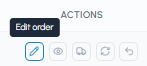
- Fill in the form indicating that you wish to cancel the order
Once the order has been taken over and has entered the processing phase, it will no longer be possible to cancel it. In this case, contact our support team as soon as possible:
- Email: info@fluid-hub.com
- Chat: available on the website via the icon at the bottom right
- Form: on the Contact page
- Support hours: Monday to Friday, from 8:30 AM to 12:30 PM and from 1:30 PM to 5:30 PM
Note: If you have a company account, you can only cancel orders you have placed personally. For orders placed by other colleagues, read Can I modify a company order after placing it?
To find out more, read Is the order confirmation final? To check the current status of the order, read How can I know the status of my order?