
You can check the status of your fluid-hub order in three ways: from the order list, from the details of the individual order or through the automatic emails you receive with each update (order confirmation, shipment, delivery).
The three methods in detail:
- Consult the order list: In the "My orders" section you will find the current status of each order in the "Status" column (e.g. Received, Processing, Shipped, Delivered).
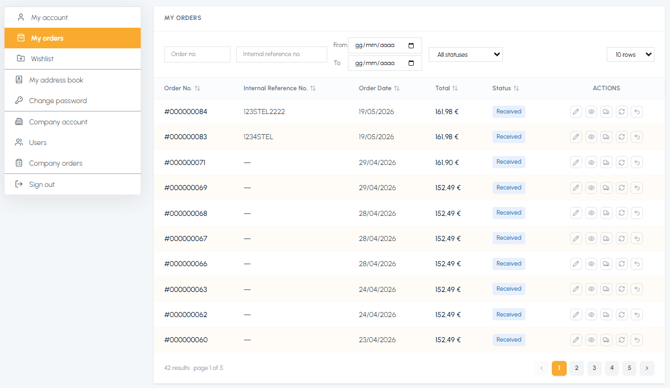
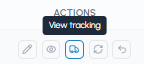
- View the shipment tracking: In the "Actions" column you will find the "View tracking" icon which opens a window with the shipment tracking information, once the order has been shipped.
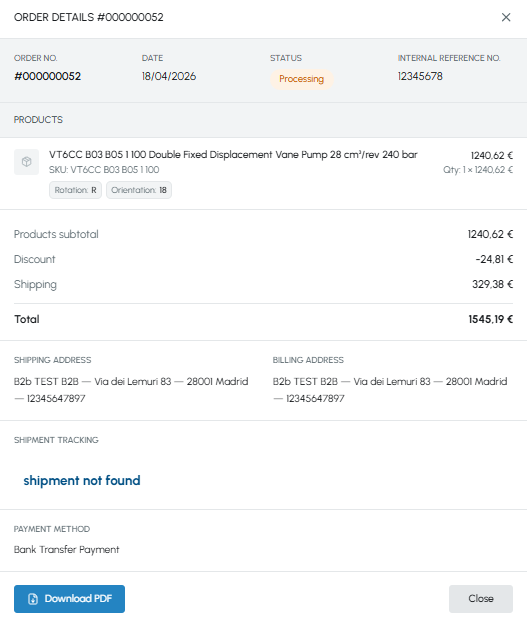
- View the order details: By clicking on the "View order details" icon in the "Actions" column, you will access the complete details where you will find:
- The current status of the order at the top
- The tracking information in the "Shipment tracking" section
- Check the communications via email: You will receive email notifications for the main updates on the status of your order (order confirmation, shipment sent, delivery, etc.). For more information, read Do I receive an order confirmation by email?
If you have any doubts about the status of your order or if you notice delays, you can contact our customer support, indicating the order number:
- Email: info@fluid-hub.com
- Chat: available on the website via the icon at the bottom right
- Form: on the Contact page
- Support hours: Monday to Friday, from 8:30 AM to 12:30 PM and from 1:30 PM to 5:30 PM
If the order is not yet being processed, you can also modify it: read Can I modify an order after I have placed it?